
Web Portal User Documentation
Breadcrumbs

Wells

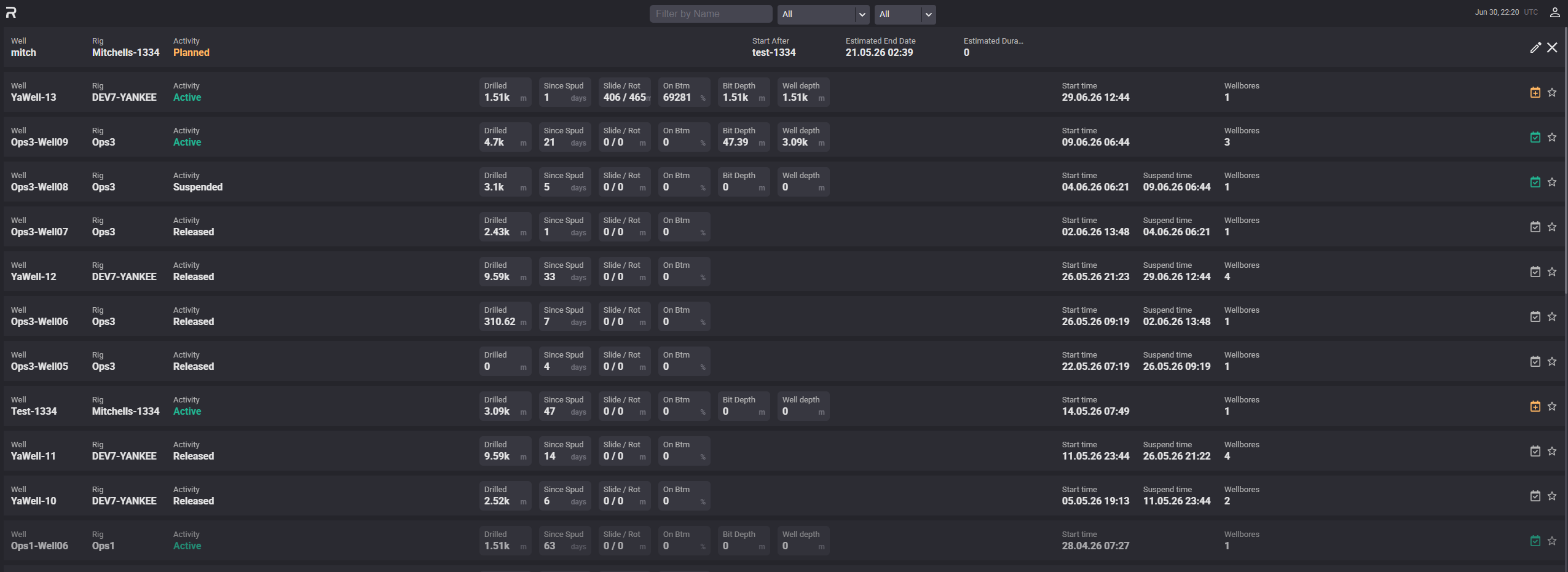
Main widget of the Wells application contain list of all wells with main parameters, such as the wholedate, drilled sum, Bit Depth, Well Depth, number of days since spud date and 24 hour Daily Metrics.
        

{A9528157-6E2A-4975-91D5-A2EE22A915F4}-20260630-152058.png


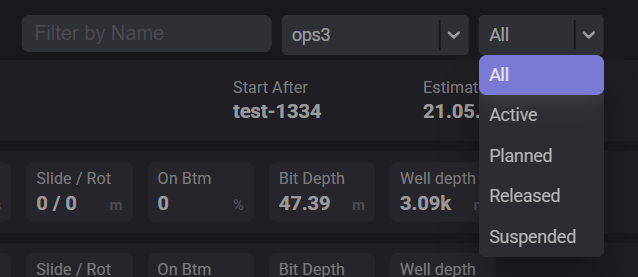
The list of the wells can be filtered by the Rig or by their status by selecting it from the drop-down list on the top panel:
{BC739242-8FB3-4378-B105-EE47B44B614C}-20260630-160605.png

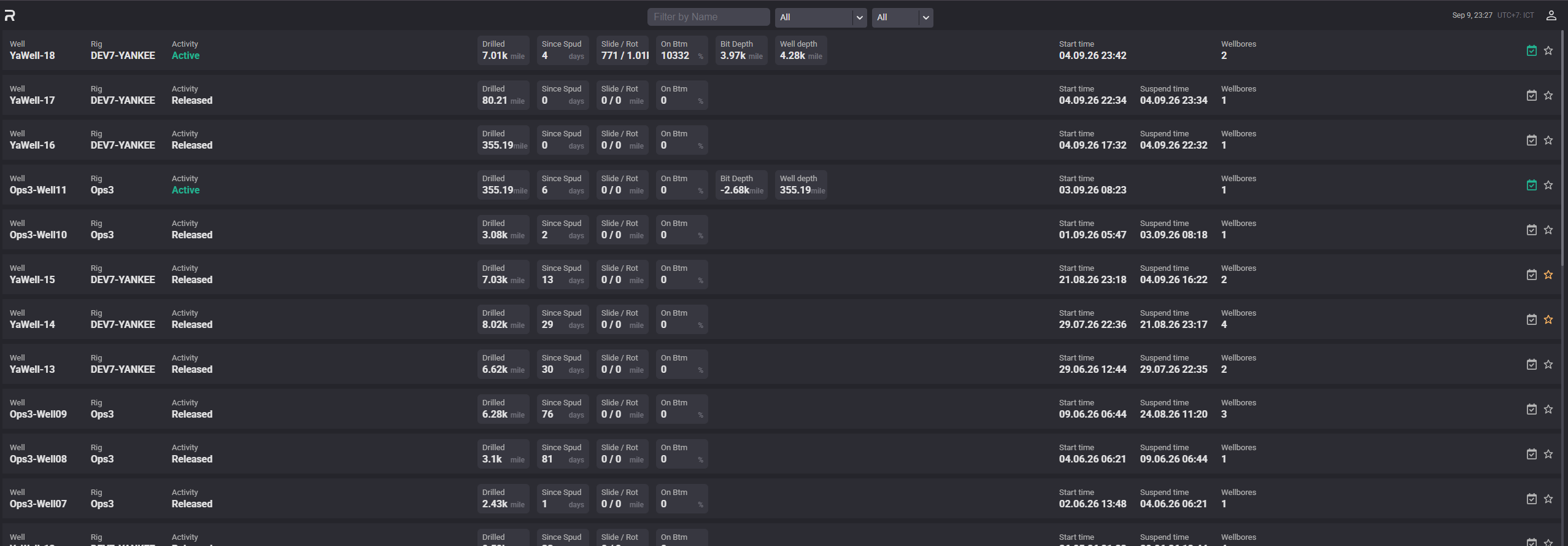
To add a well as a “Favourite”, simply click on the {987C3DB8-6272-46A4-A9D5-C21592A9061B}-20260909-162802.png of the desired well.

Click the star again to remove the Well from your “Favourites” list
{6A392E18-CF04-477F-A415-4F004CC77D14}-20260909-162724.png

Wells with set up well plan have a plan icon with checkmark {60D524A0-6DC9-4BCF-A5D9-3D43D3B7D0BB}-20261002-042225.png {FB879863-57D1-4E18-82F2-B2833B1B2B02}-20261002-042321.png , green icon for active well and grayed fot released well. Click on the icon will open well plan. Wells without well plan marked with orange icon {80EA53F3-F625-4E3D-8420-4FA34D413F6D}-20261002-042737.png . Click on it opens Set the well plan dialog .

{8F6E9723-5785-4876-B2CE-8C7A1B953CC5}-20261002-042949.png